


Keep Clean - File Master
3.943.00 Reviews
App Specs
- Version
- 1.0.18
- Updated On
- License
- Free
- Downloads
- 1,000,000+
- Developer
- Beijing Yuexi Qingfeng Culture Media Co., Ltd.
- Categories
- Productivity
- Platform
- Android
Screenshots
 Analysis by AppCompare
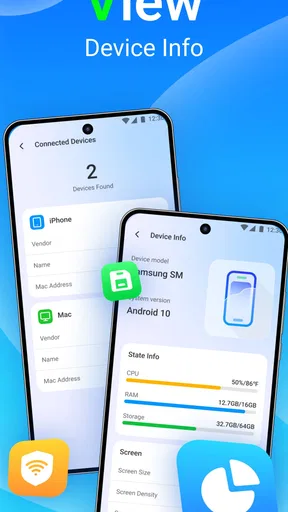
When I’m deciding whether a phone-cleaning app is worth keeping, I start with a practical question: does it help me make better storage decisions, or does it merely make a full phone feel temporarily tidier? Keep Clean - File Master is a free productivity app from Beijing Yuexi Qingfeng Culture Media Co., Ltd. Its tools bring together file cleanup, storage management, app locking and device information. That combination makes it more relevant to someone who wants a few basic maintenance tasks in one place than to someone looking for a detailed file browser or a complete security suite.
What connectivity changes in everyday use
Cleaning files and checking device information are the kinds of tasks I usually start because something on my phone needs attention: storage is running low, an app is taking up space, or I want to check a setting. Those actions are naturally centered on the device. Other parts of a phone-maintenance experience may involve internet access, such as loading screens or any content that needs to be refreshed, so I would not choose this app on the assumption that every part works without a connection. I’d open it when I have a stable connection if I want to avoid interruptions, while treating the actual cleanup decision as something to make carefully rather than as a one-tap ritual.
That distinction matters because a cleanup tool is only useful when its suggestions make sense for the way I use my phone. If I’m out and about on a limited connection, I can postpone a non-urgent check until later instead of repeatedly reopening the app to see whether a screen has loaded. For an urgent storage problem, I’d first review the files and apps I recognize, then use the cleaner as an extra aid. Connectivity should affect when I run a check, not replace my own judgment about what to remove.
A useful fit for phones used on the move
Keep Clean’s mix of storage tools, app locking and device information is easiest to appreciate on a phone that serves as a camera, map, messaging device and pocket archive all at once. Photos and downloaded files can accumulate while I’m commuting or traveling, and it’s convenient to have a place to inspect storage without immediately resorting to a laptop. The app-locking function also has a distinct everyday use: if I lend my phone to someone to show a photo or make a call, locking selected apps can help keep unrelated personal screens out of the way.
A realistic routine would be to check storage before a trip, identify large items I no longer need, and leave important tickets, maps and conversations untouched. I’d avoid running a broad cleanup in a rush at the airport or just before boarding, when I may not have time to inspect what the app identifies. The better workflow is to do a calm review at home, then use the device-information tools when I need a quick reference rather than treating a cleaner as a substitute for organizing files. That small change reduces the chance of deleting something I later need.
It should suit people who want a straightforward maintenance hub and are comfortable reviewing recommendations. It is less compelling for someone who already manages storage through a phone’s built-in settings and wants only one narrow tool; the system storage screen may be simpler and more familiar. Likewise, if I need fine-grained folders, cloud syncing or a full backup workflow, I’d reach for a dedicated file manager or backup service instead. Keep Clean is most useful when its several basic functions match a real routine, not just because more buttons appear convenient.
How I’d handle interruptions and recovery
With any app that scans or manages files, I prefer a cautious sequence: inspect first, remove only what I understand, and check available storage afterward. If a scan or screen is interrupted by a weak connection, a call or a switch to another app, I would reopen it and confirm the current result rather than assuming the earlier action completed. That approach is especially important before deleting files that might be tied to downloads or app behavior. The app’s purpose is to help with maintenance, but the safest recovery plan is still to keep irreplaceable photos and documents backed up elsewhere.
Worth Reading Before You Choose

Flipboard Shows What News Apps Must Do Beyond the Feed

Switching to Android Auto Means Rethinking Your Driving Routine

Google Calendar Makes a Crowded Week Easier to Manage

Ludo King Makes the Most of the Minutes Between Plans

Baby Panda World Brings Quick Play to Modern Phones, but Its Game Library Feels Busy

ESPN’s Live Game View Makes Following Close Games Easier
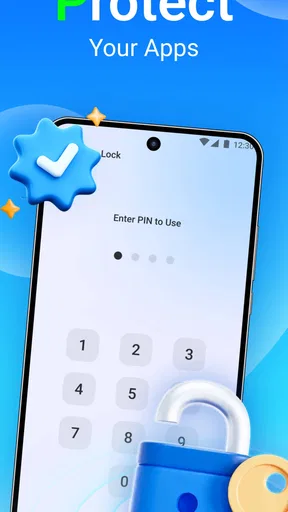
App locking deserves the same practical care. I’d choose which apps to lock based on a specific privacy need, then make sure I can still access them easily when I need them. A lock can add a useful pause before someone opens a personal app, but it can also become friction if I apply it indiscriminately to tools I use throughout the day. I see this as a targeted convenience, not a reason to lock everything. The same principle applies to storage: a cleaner is helpful when it clarifies choices, while aggressive or hurried use can create avoidable hassle.
Keeping data use deliberate
If I’m trying to conserve mobile data, I’d avoid repeatedly refreshing screens and focus on checks I actually need. I would also use the phone’s own storage controls as a second point of reference before removing unfamiliar items. That is not about assuming a particular network behavior; it is simply a sensible way to avoid unnecessary activity and make sure a cleanup serves a purpose. For a routine device check, Wi-Fi is a comfortable time to explore the app, while a quick, necessary review can wait until it fits the situation.
There’s also a privacy trade-off in putting several device-management tasks together. App locking is useful for limiting casual access to selected apps, but it is not the same as backing up files or protecting an account if the phone is lost. I’d still rely on the device’s account and backup settings for those jobs. The app is best treated as a convenient layer for everyday upkeep, not as a replacement for the phone’s built-in security and recovery options.
Who should choose it, and who should look elsewhere
The app has a 4.0 average from around 1.7 thousand ratings, and it has passed over 1 million installs. Those figures suggest that it has found an audience, but they don’t tell me whether its particular tools fit my habits. I’d consider trying it if I want storage cleanup, app management, app locking and device details gathered in one utility. Its Everyone age rating also makes its intended audience broad, though anyone using device-management tools should still pay attention to the choices they make inside the app.
Keep Clean is not my first pick if I want a rigorous explanation of every file category before acting, or if I prefer to do all maintenance through Android’s own settings. Built-in controls are often the better alternative for a person who wants fewer apps and a direct view of system storage. A dedicated file manager is more suitable when moving, sorting or renaming files is the main job. The advantage here is convenience across several simple tasks; the trade-off is that convenience should not be mistaken for depth.
My connectivity verdict
For me, the sensible way to use Keep Clean is as an occasional helper, not something that needs constant attention. I’d check storage when there is a clear reason, use app locking selectively, and consult device information when it answers a specific question. I would not assume that every part of the experience is available without a network, and I’d avoid making important deletion decisions while distracted or on an unstable connection. Used with that restraint, its broad set of maintenance options can be handy; if I need detailed file control or a dependable backup plan, I’d choose a tool built specifically for that job.
The First Impression: Simple and Straightforward
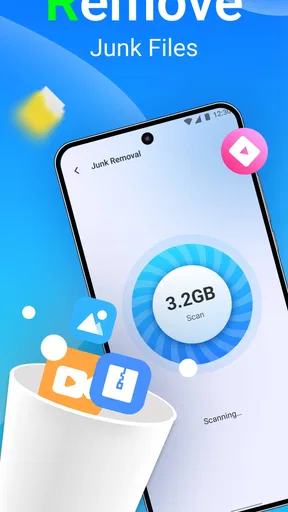
When you first open Keep Clean - File Master, you're greeted with a clean interface. It’s intuitive, and I didn’t need a manual to figure out what to do. A simple tap on "Scan" initiates a thorough check of your device, and the app quickly identifies unnecessary files, cache, and other storage hogs. It felt like having a personal assistant who knew exactly where all the digital clutter was hiding.
Features That Stand Out
The app's main selling point is its comprehensive cleaning capabilities. But it doesn’t stop there. It also offers:
- Junk File Cleaner: This feature targets those hidden cache files that pile up over time. Within seconds, I reclaimed a significant chunk of storage space.
- CPU Cooler: If your phone often feels like a portable heater, this feature helps reduce the temperature by closing background apps that overutilize your CPU.
- Battery Saver: It analyzes battery usage and suggests optimizations to extend your device's battery life. Who doesn’t want their phone to last longer?
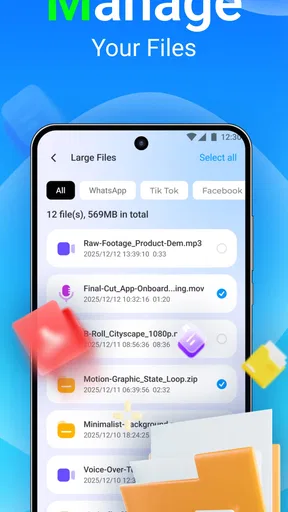
- App Manager: Easily manage and uninstall apps you no longer need. It even helps identify large files that might be hogging up precious space.
Performance: Smooth and Effective
After using Keep Clean - File Master for a week, my phone felt noticeably faster. The app runs efficiently in the background without bogging down system resources. One of my favorite features is the real-time monitoring that keeps your device in check while you go about your daily routines.
Privacy and Security
Of course, with any app that accesses personal files, security is a concern. Keep Clean - File Master takes this seriously, ensuring that your data remains private. The app doesn’t upload your files to external servers, which gives peace of mind knowing that my information remains safe and sound on my device.
Is It Worth It?
In short, yes. For anyone struggling with storage issues or experiencing sluggish performance on their device, Keep Clean - File Master is a handy tool. It’s especially useful for those who might not be tech-savvy but still want to maintain their phone’s performance and longevity.
If you’re curious and want to try it out, you can find the download links for both Android and iOS on our site. Dive in and give your phone the cleaning it deserves. Happy optimizing!
Pros
- User-friendly interface for easy navigation.
- Efficient junk file cleaning boosts speed.
- Customizable cleaning schedules.
- Secure data protection features.
- Supports multiple file formats for cleanup.
Cons
- Contains frequent in-app advertisements.
- Limited free features; premium needed.
- Occasional slow performance on older devices.
- Requires internet for some functions.
- Lacks comprehensive customer support.
FAQs for Keep Clean - File Master
What is Keep Clean - File Master used for?
Keep Clean - File Master is an app designed to optimize your device’s performance by cleaning junk files, managing storage, and boosting speed. It helps users free up space by removing unnecessary files, cache, and temporary data, ensuring their devices run smoothly and efficiently.
Is Keep Clean - File Master safe to use on my device?
Yes, Keep Clean - File Master is safe to use as it prioritizes user privacy and security. It does not collect personal data or access sensitive information. However, it's always recommended to download apps from official app stores to ensure authenticity and safety.
How does Keep Clean - File Master improve device performance?
The app improves performance by systematically identifying and deleting junk files, clearing cache, and managing storage. This process frees up valuable space and resources, allowing your device to operate more efficiently and reducing lag or slow response times.
Does Keep Clean - File Master require internet access to function?
While Keep Clean - File Master performs most tasks offline, such as cleaning files and managing storage, some features like updates, feedback submission, or accessing cloud storage options may require an internet connection. It's advisable to have occasional connectivity for optimal functionality.
Is Keep Clean - File Master free to use, or does it require a subscription?
Keep Clean - File Master offers a free version with basic features. However, to access advanced functionalities and remove ads, users can opt for a premium subscription. This subscription model provides enhanced tools for more comprehensive device optimization and management.


